Your whole catalog, properly described.
Blurb turns the details already in your Shopify catalog into clear product descriptions, up to 100 products at a time. Edit anything, then save only the ones you approve.
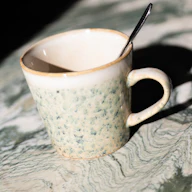
A speckled mug for everyday coffee and tea.
- Material
- Stoneware with a speckled glaze
- Dimensions
- 8.5 × 9.5 cm
- Care instructions
- Hand wash recommended
The details Blurb writes from
 Blurb
0 of 3 products processed. You can leave this page; generation continues in the background.
Writing…
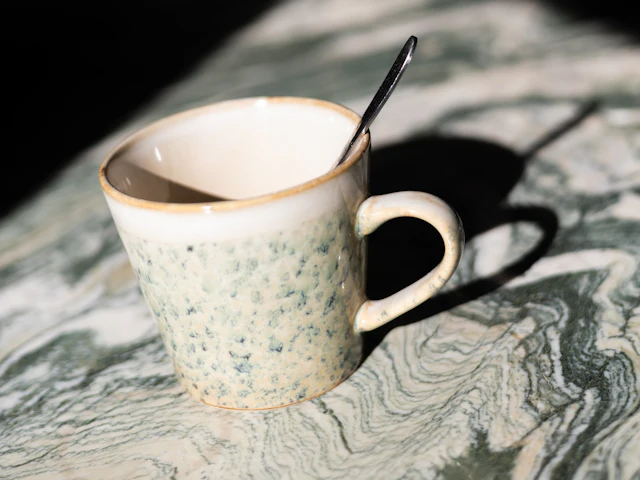
A speckled mug for everyday coffee and tea.
Unchanged until you save
Example store, product and copy. Mug photo by Andreas Haslinger on Unsplash.
Same facts, your voice
Pick a style and a Short or Standard length, and add your own instructions if you want them. Blurb keeps the details from your product data and remembers the style you used last.
- Stoneware with a speckled glaze
- 8.5 × 9.5 cm
- Hand wash recommended
Example drafts for an example product.
How it works
Choose products
Search by name or SKU and filter by product type. Pick one product or up to 100; your selection stays as you filter.
Generate
Choose a style and start. Blurb works through the batch in the background, so you can leave and pick it up again from History.
Review and save
Edit any draft and untick the ones you don’t want. One confirmation saves the rest to Shopify.
Optional content check
A second opinion on any description.
Check an existing description or a new draft. Blurb returns up to five prioritized findings for conversion clarity, SEO copy and answer readiness, each quoting the text it’s about. Choose the ones to apply and Blurb rewrites the draft for you to review.
Suggestions that need facts Blurb doesn’t have stay with you. Content checks read the listing content and product data Blurb already has, including SEO titles and meta descriptions where available. They don’t crawl your live store or assess technical SEO, schema, page speed or rankings.
Checked draft content
Example findings for an example product.
You stay in control
Nothing saves without you
Drafts autosave in Blurb. Your store changes only after you confirm Save to Shopify.
Written from your data
Blurb uses the product’s title, type, variants, current description, and available material, size and care details. Missing details are left out, not guessed, and you review every draft.
Originals kept
Undo restores the previous description as long as Shopify still shows the version Blurb saved.
Only descriptions change
Titles, SEO fields, images, prices and your theme stay exactly as they are.
Big batches, no babysitting
Generation runs in the background. If one product fails, retry it without losing the others or your edits.
Checks before it writes
If a description changed in Shopify since Blurb read it, the save stops and shows you both versions.
Questions
Which products can Blurb describe?
Products with something to work from: an existing description, or material, size or care details. Simple paragraphs and lists are supported. Descriptions with images, tables or links are flagged for you instead of being rewritten.
What language does it write in?
English. Blurb is for stores whose primary language is English.
Which AI model does it use?
OpenAI’s GPT-5 mini, for every draft and content check. Product content is sent to OpenAI to do that work. The Blurb privacy notice explains what is sent and how long history is kept.
What if someone edits a product while I’m saving?
Blurb reads the current description right before writing and stops if it has changed. That check and the save are separate requests, so an edit made between them can still race the save. If Blurb can’t confirm a save, it asks you to review instead of retrying on its own.
Is it an SEO tool?
Not a technical one. The content check covers how well the description reads, including for search. It doesn’t change SEO fields, and it can’t promise better rankings or sales.
How much will it cost?
Pricing and launch allowance are still being decided. Blurb isn’t available to install yet.
Start with the products you’ve been putting off.
Questions about Blurb? Email us